Calendar & events
The calendar is for things that happen at a time: meetings, rehearsals, deadlines, shifts, performances, and the AGM that nobody wants to attend but everybody has to.
Tasks have dates too, and they turn up on your personal calendar alongside events. The difference: a task is something you do, an event is something you turn up to. Some weeks the second category is more restful.
Creating an event
From an initiative's Calendar, pick a slot or choose New event. You can set:
| Title | What it is. |
| Description | The detail — agenda, what to bring, where to park. |
| Location | A place, or a link for anything online. |
| Start and end | Or tick all day and skip the times. |
| Color | So rehearsals and meetings are distinguishable at a glance. |
| Attendees | The people invited. |
| Recurrence | If it repeats — same options as recurring tasks. |
RSVPs
Invited people answer Accepted, Declined, Tentative, or leave it sitting at Pending. You get to see who's actually coming, which is the entire reason anybody sends an invitation in the first place.
Pending isn't a rude answer, incidentally. It's the default, and it nearly always means "haven't opened it yet" rather than "am refusing to engage".
Reminders
Each person sets their own reminder on an event: at the start, or a chosen number of minutes, hours or days beforehand.
Yours doesn't affect anybody else's — so the person who needs an hour's warning and the person who needs three days and a follow-up can both be accommodated without negotiating.
Reminders run on your timezone, which Initiative guesses from your browser when you sign up and usually gets right.
If your reminders are arriving at genuinely baffling hours, this is the thing to check: User settings → Interface.
Views, importing and exporting
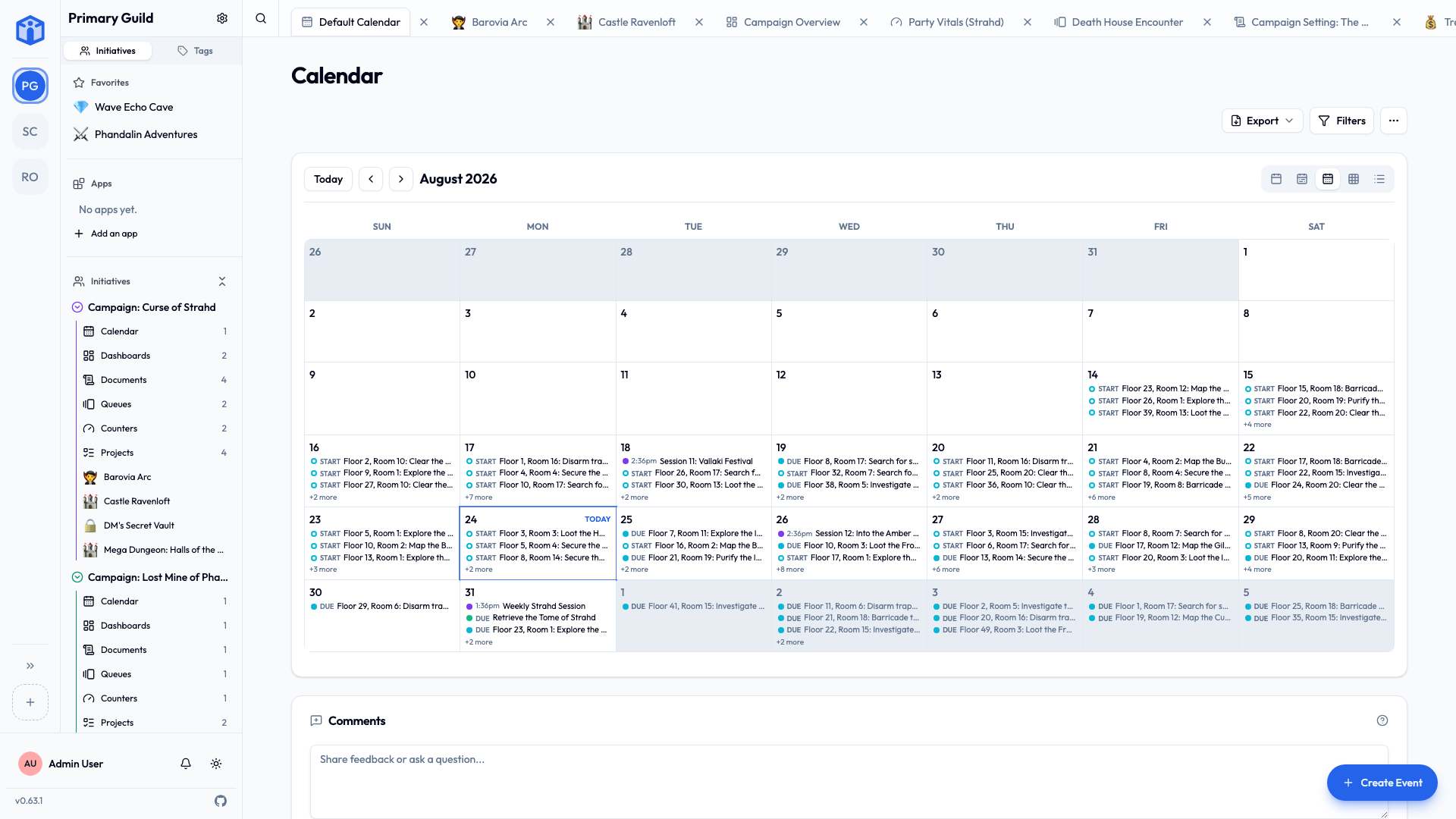
See your events by day, week, month, year, or as a list.
Events import and export as standard .ics files, which every other calendar app on earth speaks.
So you can pull a whole season's fixtures in at once, or push the rehearsal schedule straight into everyone's phone calendar — including the members who will never, under any circumstances, open Initiative.
The one calendar that knows everything
My Calendar gathers events and dated tasks from every community you're in, on one screen.
If you belong to three groups that each quietly believe their thing is the only thing happening in your week, this is the page that settles the argument.
Calendars for the whole community
Some things belong to everybody rather than to one effort: bank holidays, the monthly social, game nights, the fortnight when the office is shut and nobody can find out why.
Those go in the Community calendar app, which a community admin adds from the marketplace. It shows up in the sidebar's Apps section and opens on every calendar the community shares, overlaid in one view.
It arrives with one calendar, and any member can add more with New Calendar — one for holidays, one for socials, one per person if you like. Whoever creates a calendar owns it and sets its sharing, which starts at everyone in the community can read it. So making your own is a way to post a schedule that everybody follows and nobody can accidentally edit.
The Calendars dropdown hides the ones you don't care about. That's yours alone — hiding the five-a-side fixtures does not hide them from the people actually playing five-a-side.
It shows a count of how many you've switched off, so you don't spend a fortnight wondering where everything went.
Community calendars hold the community's own events and nothing else — no tasks, no project work. Removing the app sends all of its calendars to the trash together, where they can be recovered.
Sharing and comments
Calendars share like every other tool: Viewer, Editor, Owner, or open to the whole initiative, with bulk editing from the list view. Each calendar has its own comment thread, switchable off under Settings → Details.
Related
- Your space — everything you're expected at, in one place.
- Notifications — event invites and reminders.
- Apps & the marketplace — where the community calendar comes from.