Counters
A counter tracks a number that moves. Tickets sold, seats left, money raised, points scored, laps run, cups of tea consumed by the committee since March.
The reason this is a feature and not just a note in a document is that a number in a document is one person's number, and it is wrong. A counter is everybody's. Tap it on your phone and the screen at the front of the room changes.
Counter groups
Counters live in groups, because they almost always come in sets. One counter per table at a fundraiser. One per team. One per collection tin.
Make one from an initiative's sidebar: Counters → New counter group, name it, then add counters to it.
What a counter can do
| Setting | What it does |
|---|---|
| Count | The current number. It's the whole point. |
| Minimum / maximum | Bounds, if the number shouldn't go past something. Seats can't go below zero; a venue has a capacity. |
| Step | How much one tap moves it. Set it to 5 and each tap is five. |
| Initial value | What Reset goes back to — not necessarily zero. |
| Color | For telling them apart at speed. |
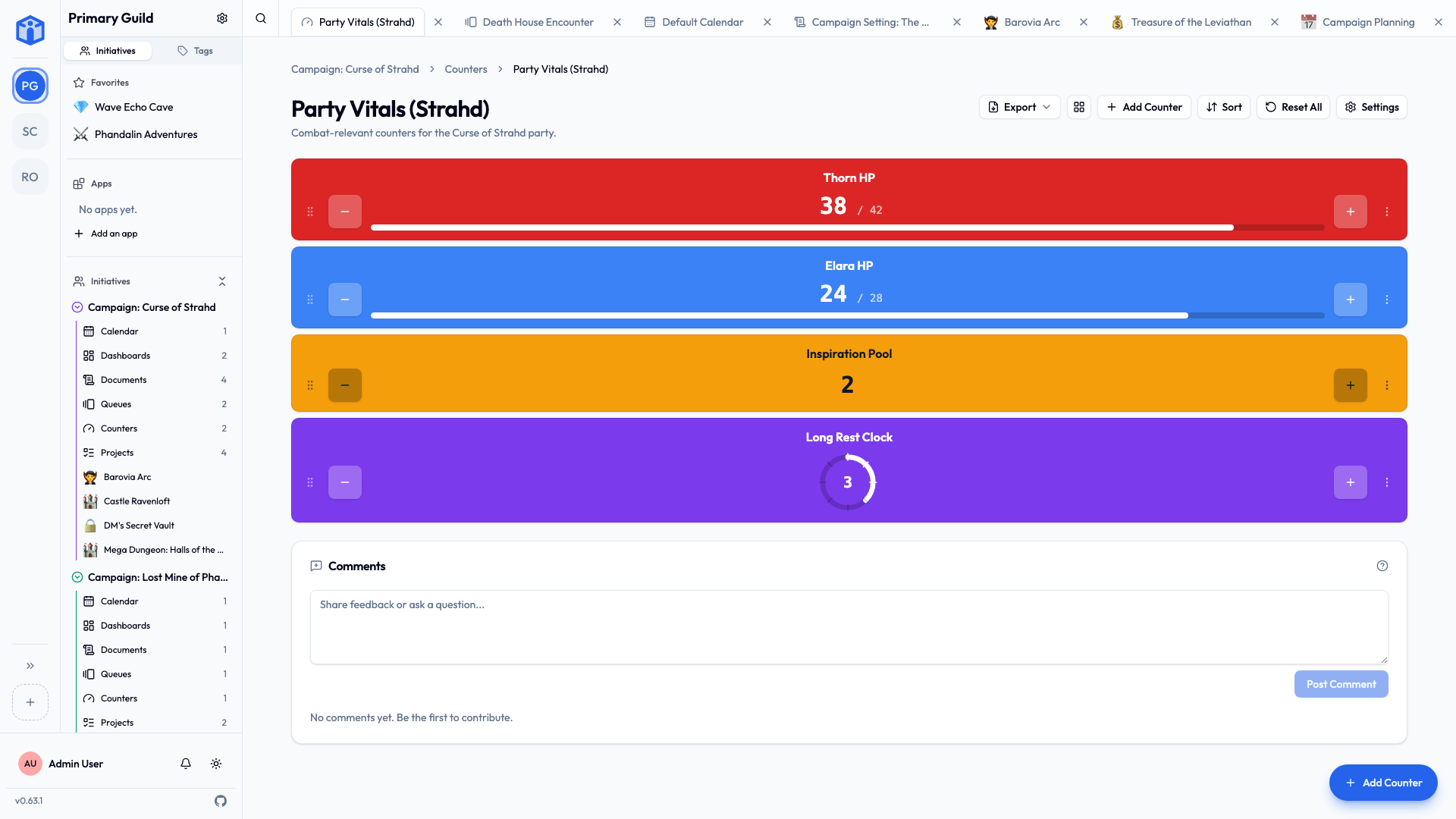
| Display style | A plain number, a progress bar, or a segmented clock. |
Counters take decimals, so a fundraising total in pounds and pence works as well as a headcount.
Choosing a display style
- Number — when the value is the message. A total, a tally, a score.
- Progress bar — when the value only means something against a target. £2,400 raised is a fact; £2,400 of £3,000 is a story.
- Segmented clock — when you're counting down a fixed number of discrete things. Rounds, doses, lives, attempts.
Using them in the room
- Increment, decrement and reset are one tap each.
- Reset all does the whole group at once — the right button between sessions.
- Focus mode blows one counter up to fill the screen, which is what you want when it's on a projector or a tablet propped up on the door.
Focus mode is the one to remember
Counters are usually being read by people who aren't holding the device — which is to say, from the other end of a draughty hall, at an angle, by somebody who left their glasses in the car. Focus mode is for them.
Things people use them for
- Door counts — capacity, attendance, ticket stubs.
- Fundraising totals — one counter per tin, plus a group total on a dashboard.
- Inventory on the day — stock left on a stall.
- Scores and rounds — matches, tournaments, games.
Sharing and comments
Counter groups share like every other tool — Viewer, Editor, Owner, or everyone in the initiative — and can be bulk-edited from the list view. Each group has its own comment thread, switchable off under Settings → Details.
Related
- Dashboards — putting counter values on a screen with everything else.
- Tools — the other optional tools.
- Sharing projects & documents — access levels in full.
- Your space — every counter group that's reached you, from every community.