Profile & preferences
Your personal settings, all in User settings (open it from your name/avatar at the bottom of the sidebar).
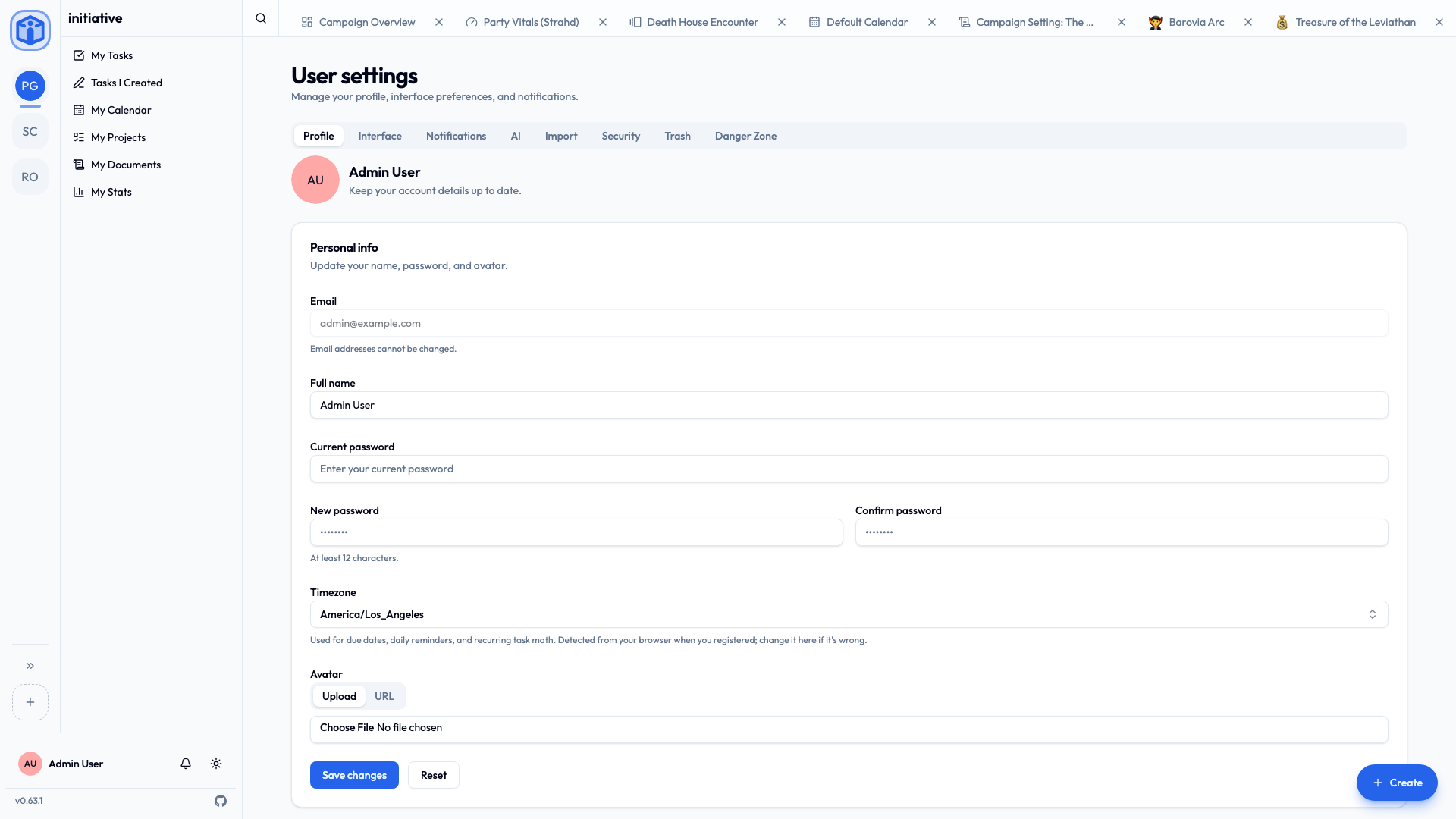
Profile
The Profile tab is your account details:
- Full name — how teammates see you. Change it any time.
- Email — shown but not editable. It's the anchor of your account.
- Password — to change it, enter your current password, then your new one twice (at least 12 characters). If you sign in with single sign-on, your password is managed by your identity provider, not here.
- Avatar — upload a picture or point to an image URL.
- Timezone — important: it's used for due dates, daily reminders, and recurring-task timing. Initiative detects it from your browser when you register; correct it here if it's off.
Interface
The Interface tab controls look and feel:
- Color theme — Light, Dark, or System (follows your device).
- Language — your preferred language for the interface.
- Week starts on — which day calendars and date pickers show first.
- Recent items in tab bar — how many recent things to keep along the top (1–100).
- Task completion feedback — a bit of fun when you finish a task: Confetti, +1 Heart, Natural 20, Gold coins, Random, or None.
- Sound and vibration on task completion — optional cues (vibration on supported devices).
- Keep screen awake — stop this device's screen from dimming while Initiative is open (saved on this device only).
These are all personal — they change nothing for anyone else.
Trash
The Trash tab shows things you recently deleted, so you can restore them within the retention window. (Guild-wide trash is separate and lives in Guild settings.)
Closing your account
The Danger Zone tab handles leaving Initiative. There are two paths, and Initiative walks you through either with a short wizard that checks for anything that needs sorting first (like projects you own, or guilds where you're the last admin).
Deactivate
Deactivate temporarily switches your account off. You can't sign in, and you're removed from your guilds (rejoining later needs a fresh invite), but your name, email, and content are kept. An administrator can reactivate you later. Good for "I'm stepping away for a while."
Delete
Delete is permanent, and you choose how thorough it is:
- Anonymize — your name, email, and avatar are removed and you can't sign in, but things you wrote (comments, tasks) stay in place, now shown as "Deleted user." This keeps your teammates' history intact while removing your personal details.
- Hard delete (available to administrators) — removes everything, including content you authored.
Before you can delete, Initiative makes sure your owned projects are transferred to someone else, so nothing your group relies on is lost.
Deletion can't be undone
Deactivation is reversible; deletion is not. If you're unsure, deactivate first.
Related
- Notifications — what you're told about, and where.
- API keys & integrations — the Security tab's access keys.
- Data & compliance — what happens to your data.