AI features
Initiative has optional AI help that can save you time — drafting a task description, suggesting subtasks, or summarizing a document. It's entirely optional, off unless enabled, and you stay in control of it.
What AI can do here
When AI is turned on, you'll see Generate options in a few places, such as:
- Drafting or improving a task description.
- Suggesting subtasks to break a task down.
- Producing a summary of a document.
You ask for help explicitly — nothing is generated behind your back.
Bring your own key (BYOK)
AI features run on an AI provider that someone supplies a key for. Depending on how your server and guild are set up, that key might be provided for you, or you might add your own. The supported providers are:
| Provider | Notes |
|---|---|
| OpenAI | Needs an API key. |
| Anthropic | Needs an API key. |
| Ollama | Runs models locally; needs a base URL. |
| OpenAI-compatible | Any service that speaks the OpenAI API; needs a base URL and key. |
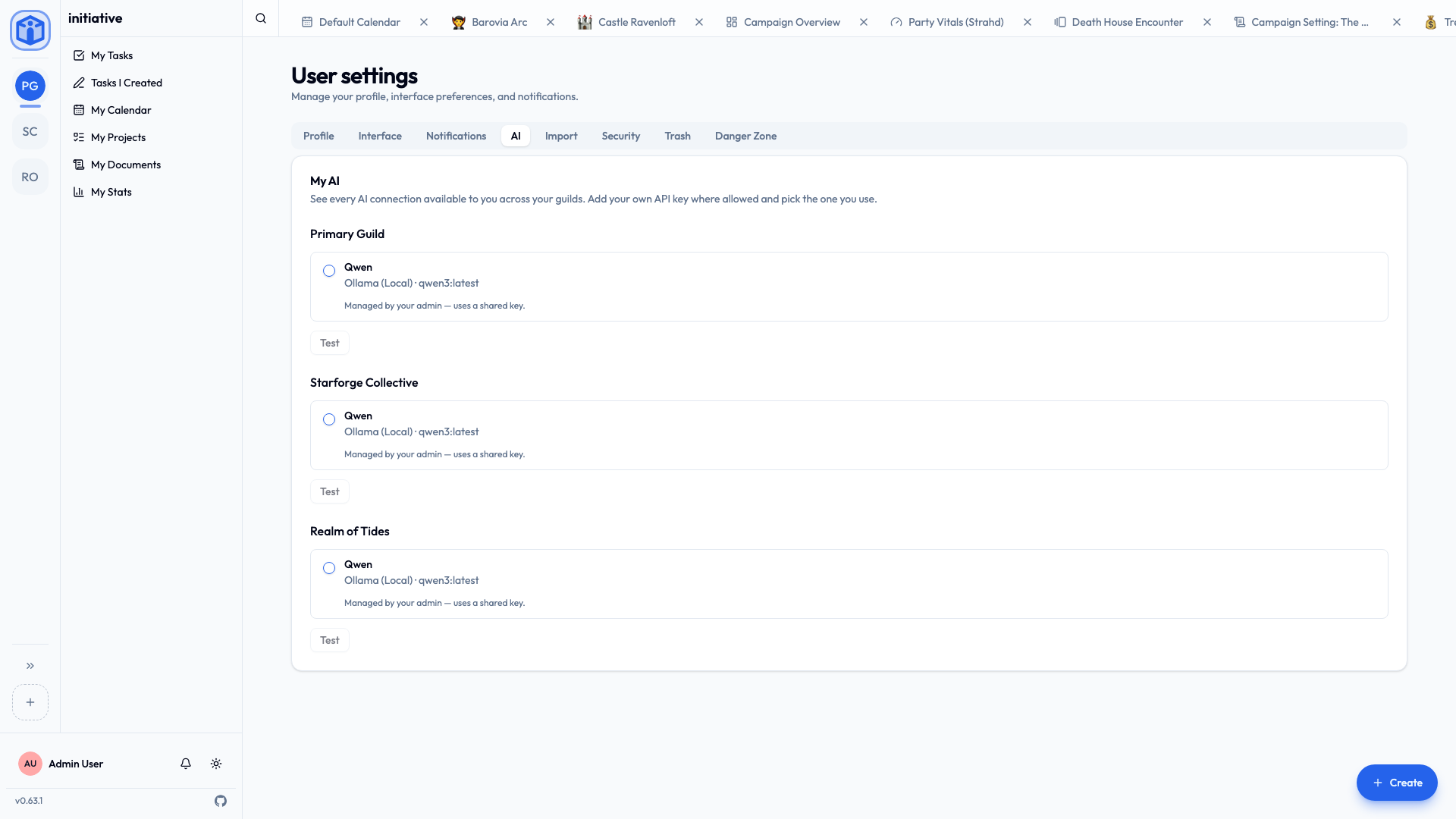
To set up your own, open User settings → AI, enable AI, choose your provider, paste your API key (and base URL if needed), pick a model, and use Test connection to confirm it works.
Who decides the settings
AI settings cascade from the top down, and each level can choose whether to let the level below override it:
- Platform (the server owner) sets defaults and decides whether guilds and users may use their own keys.
- Guild (a guild admin) can set the guild's own configuration, if the platform allows it.
- You can set personal settings, if your guild or platform allows it.
If you see a message like "AI settings are managed by your administrator," it just means a higher level has set things for you — there's nothing wrong.
A privacy note worth knowing
AI features work by sending the relevant text (for example, a task's details) to whichever AI provider is configured. That means that content leaves your server and goes to that provider, under their terms.
- If you need everything to stay in-house, an administrator can configure a local provider (Ollama) so nothing goes to an outside company.
- If you're unsure what's configured, ask your administrator — or simply don't use the Generate buttons.
Related
- Profile & preferences — your other personal settings.
- Platform configuration — for administrators setting AI defaults.