Task views
The same tasks can be shown in three different ways. Pick whichever helps you think — switching between them changes nothing about the tasks themselves, just how you look at them. Use the view switcher at the top of any project board.
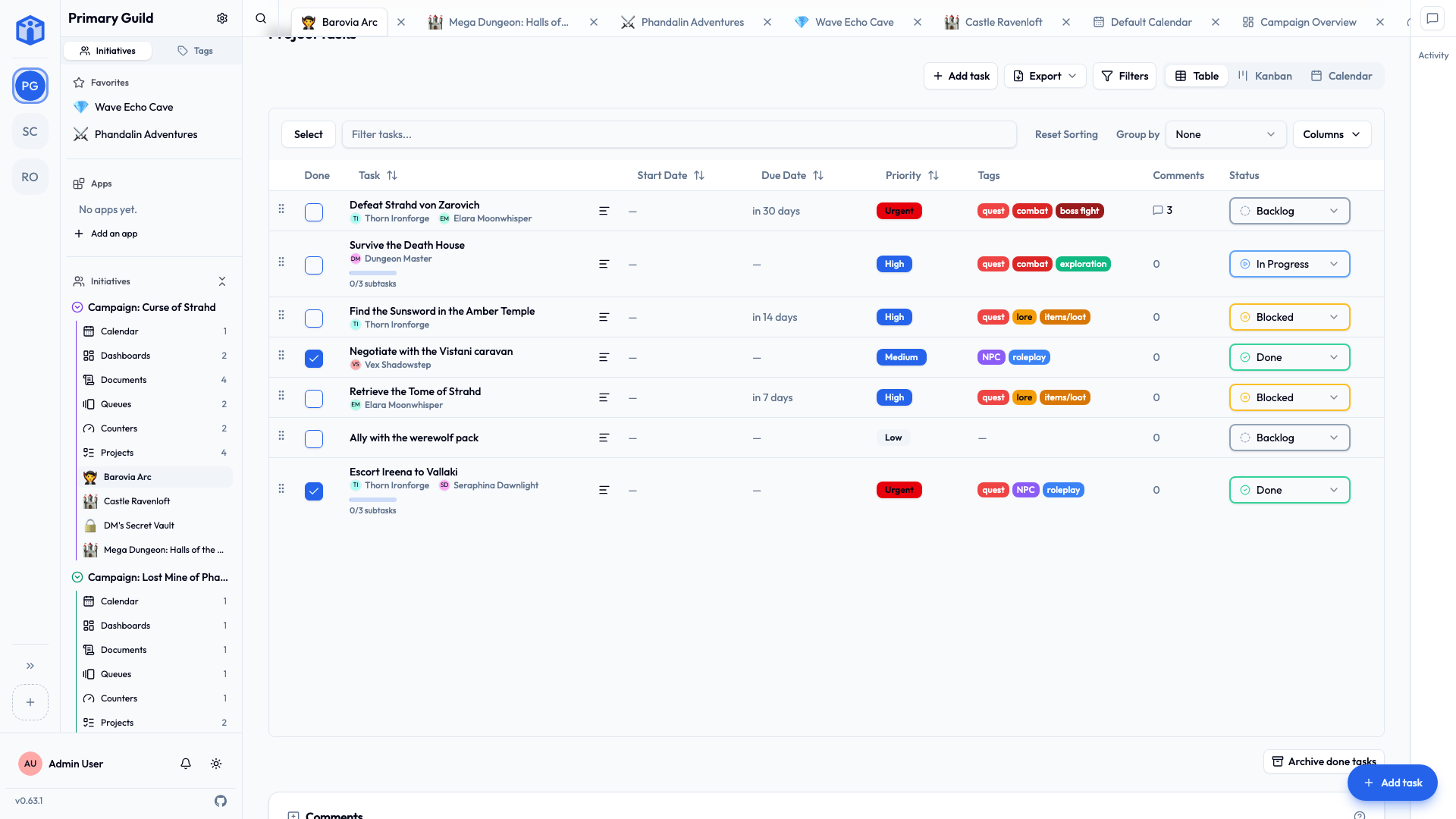
Table
A clean, spreadsheet-style list — one row per task, with columns for status, priority, dates, assignees, and so on.
Best for: scanning a lot of tasks, sorting, and bulk edits.
- Click a column heading to sort by it. Hold Shift and click another to sort by several columns at once.
- Group rows by status, priority, or assignee.
- Filter to narrow down to exactly what you want.
- Select multiple rows to edit them together.
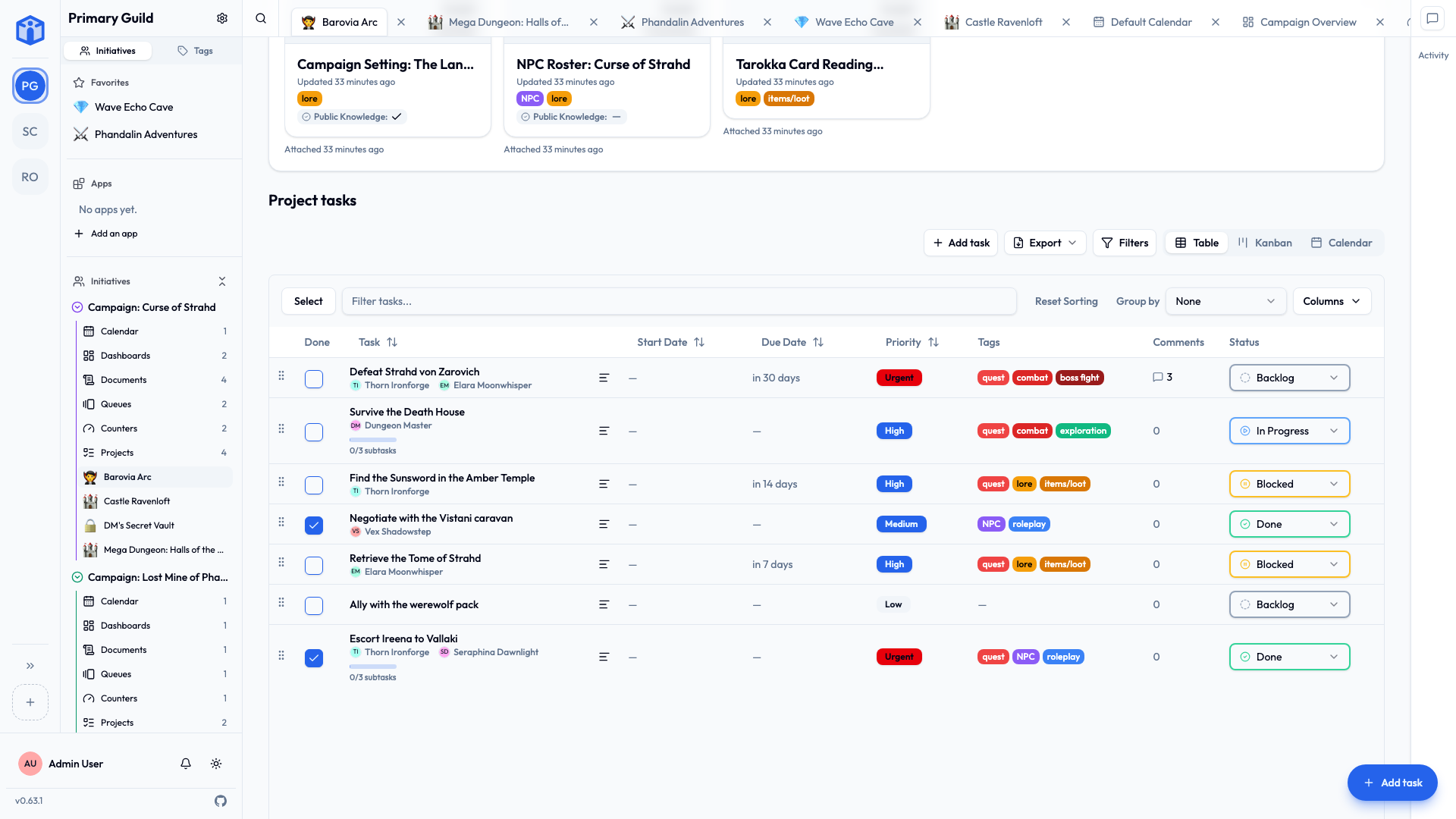
Kanban
Cards arranged in columns, one column per status. Drag a card from one column to the next as work moves along.
Best for: seeing the flow of work and updating status with a simple drag.
- Drag and drop a task between columns to change its status.
- Collapse a column you don't need to focus on the rest.
Calendar
Your tasks laid out on a calendar by their start and due dates.
Best for: seeing when things are happening and spotting a crowded week.
Which should I use?
There's no wrong answer — use whatever makes the work clearer for you. A common pattern:
- Kanban day to day, to push work along.
- Table when you need to tidy up, sort, or edit many tasks.
- Calendar when you're planning ahead or reporting on schedule.
Your view choice is personal and remembered, so you can settle into the one you like.